AI agent workshops
Hands-on AI workshops where your team builds, not watches
Your team builds working AI agents and automated workflows on its own tools, with Ashley Gross guiding every step. Everyone leaves with something running.
In person or virtual. Built around your real workflows.
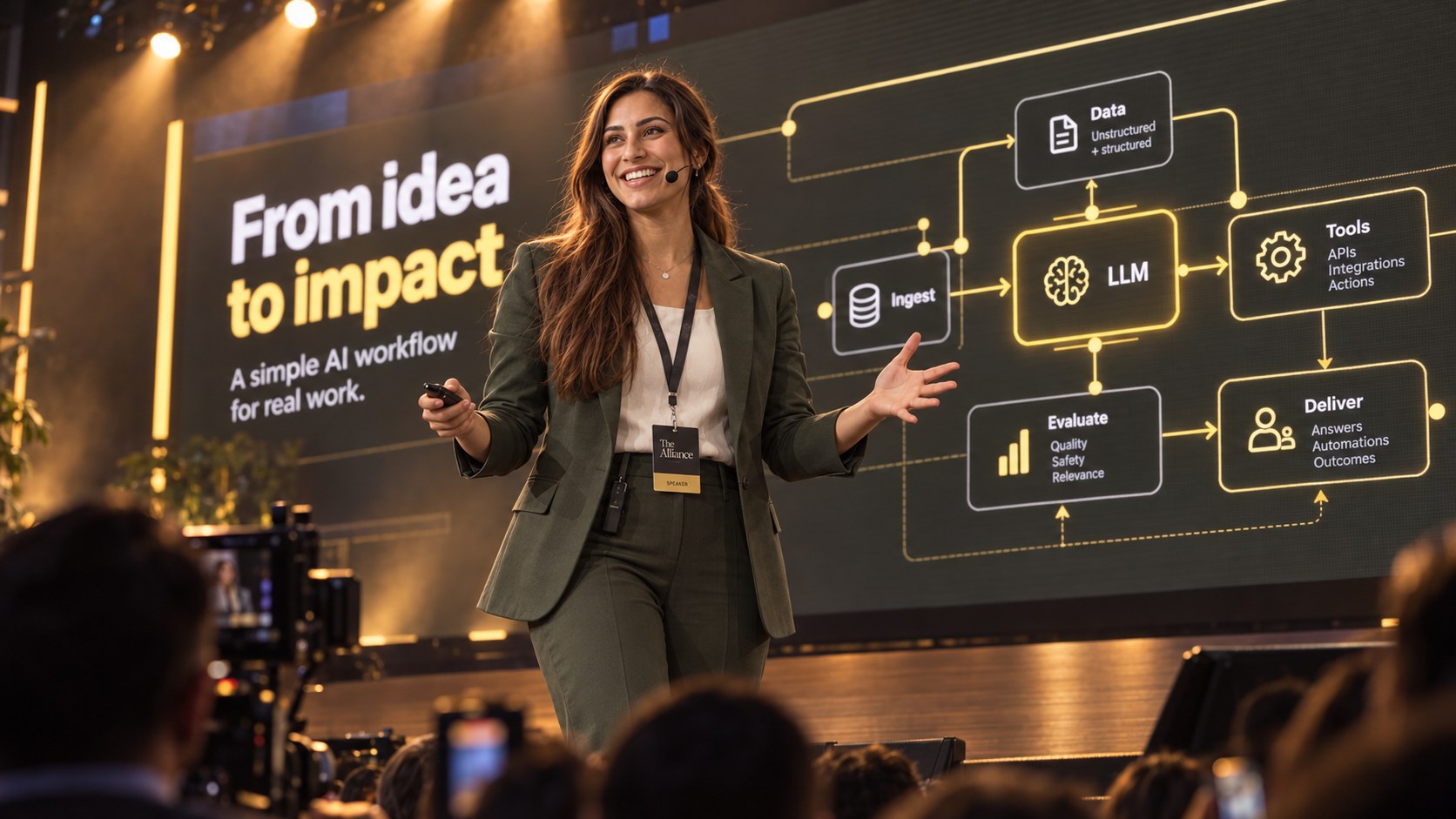
What your team builds in an AI workshop
Working AI agents
Every participant builds a functional AI agent during the session, not a slide about one.
Automated workflows
Teams automate real tasks from their own week, so the build is useful the next morning.
Time back every week
The goal is 10+ hours reclaimed per employee per week from work that no longer needs doing by hand.
Workshop formats
Every workshop is scoped to your team, your tools and your data rules.
Build sprint
One focused session where every person leaves with one workflow running.
- About 3 hours
- One real workflow per person
- Prompt and agent templates to keep
- Best for teams new to AI agents
Agent lab
Deeper builds, team use cases and the guardrails to run them safely.
- About 6 hours
- Two builds per person or team
- Governance and data guardrails
- Best for teams with tools already live
Enablement series
Weekly sessions that turn early wins into habits across the team.
- Four 90-minute sessions
- Homework builds between sessions
- Internal champions trained
- Best for org-wide rollouts
Half-day vs. full-day executive intensives
The exact agenda for each format. Every module ends with something your team can use.
Half-day executive intensive
About 3 hoursBest for leadership teams getting their first agent running- Module 130 minUse Case DiscoveryMap the workflows that eat your week, score them on value and effort, and pick one per person to build.
- Module 240 minLive Prompt & Agent ArchitecturePrompt patterns, context, tools and human review points. Each agent is designed on paper before anyone builds.
- Break10 minReset and tool checkConfirm logins and data access so build time is not lost.
- Module 380 minHands-on Prototype BuildBuild the agent live on your own tools with Ashley and build leads at every table.
- Module 420 minShare-out and 30-day planQuick demos, a guardrail check and the next workflow each person will tackle.
Full-day executive intensive
About 6 hours with lunchBest for teams that already have AI tools live and need deeper builds- Module 145 minUse Case Discovery and PrioritizationScore team use cases on value, feasibility and risk, then agree on the two worth building today.
- Module 260 minLive Prompt & Agent ArchitectureDesign multi-step agents with the right context, tools, permissions and review points.
- Module 390 minHands-on Prototype BuildBuild the first agent end to end on your tools, with your data rules in place.
- Lunch45 minWorking lunchPeer review of morning builds over lunch.
- Module 445 minGovernance, Data Guardrails and TestingTest outputs, set data boundaries and document what each agent can and cannot touch.
- Module 560 minSecond Build and Team WorkflowBuild a second agent or connect the first one to a shared team workflow.
- Module 630 minExecutive Rollout PlanShare-out, ROI estimate and a 30-day rollout plan with owners.
Who should attend
Built for business leaders and the teams they run. No technical background needed.
C-Suite and executive leaders
Set direction, choose the first use cases and see what AI can actually do in your business.
Product leaders
Prototype AI features and internal tools without waiting on an engineering sprint.
Operations VPs and directors
Automate the reporting, handoffs and follow-ups that slow every team down.
Department heads
Marketing, sales, finance, HR and customer success leaders who own a workflow worth fixing.
IT and security leads
Recommended, so tool access and data guardrails are agreed in the room.
Internal AI champions
The people who will help everyone else keep building after the session.
What attendees need
How a workshop runs
Pick a real workflow
Before the session, each person or team picks one task that eats their week.
Build it live with Ashley
Step by step, on your tools, with your data rules in place.
Leave with it running
Plus a written guide to rebuild it and share it with the rest of the team.
Builds teams have walked out with
Real examples from recent workshops, with client details removed.
Earnings and market tracker
A NotebookLM workspace that reads filings and calls, then answers leadership questions with sources.
Supply chain project
A ChatGPT project built from ERP exports that flags late suppliers and drafts the follow-up emails.
Competitive research brief
A Claude workflow that researches a competitor live and turns it into a one-page brief.
Inbox and calendar triage
Copilot or Gemini sorting email and meetings by the outcomes that actually matter.
Post-workshop support
The workshop is day one. Here is what your team keeps after the session ends.
Session recordings
The full session recording for virtual workshops, and recorded build demos for in-person sessions, so absent team members can catch up.
Custom prompt library
The tested prompts and agent instructions from your session, organized by workflow and ready to share.
Step-by-step rebuild guides
A written guide for every build so anyone on the team can recreate it.
30-day implementation support
Follow-up help for 30 days while your team puts the builds into daily use, plus a check-in call to review progress.
Executive summary
What was built, the use cases worth scaling next and a recommended 30-day plan for leadership.
Workshops at a glance
- Format
- Hands-on, interactive build session
- Delivery
- In person or virtual
- Audience
- Corporate and enterprise teams
- Facilitator
- Trained 2,500+ professionals at Fortune 500 companies
Teams Ashley has trained







Workshop questions
Which AI tools do you use?
The ones your team already has. Workshops run on Microsoft 365 Copilot, ChatGPT, Claude, Gemini, NotebookLM or Perplexity.
Does my team need technical skills?
No. Workshops are built for business teams. If someone can write an email, they can build their first agent.
How many people can attend?
Small teams get the most hands-on time. Larger groups are split into tables with a build lead at each.
Is it in person or virtual?
Both. Ashley runs workshops on site worldwide and virtually.
What happens after the workshop?
Every participant gets a step-by-step guide to rebuild what they made, plus the session recording, a custom prompt library and 30 days of follow-up implementation support. Many teams add an enablement series or advisory to scale it.
Give your team its first working AI agent
Tell us the workflows and the date, or grab 15 minutes to find the right format.